Create invoices faster
ProblemManually copying customer details and recalculating totals wastes time.
OutcomeReuse saved customer details, add invoice lines and let the system calculate totals consistently.
Simple UK invoice software
Create clear invoices, track what is owed and handle VAT/CIS invoice calculations without enterprise accounting software.
No payment card is required. Your trial starts when you finish setting up your workspace, and you are not charged automatically when it ends.
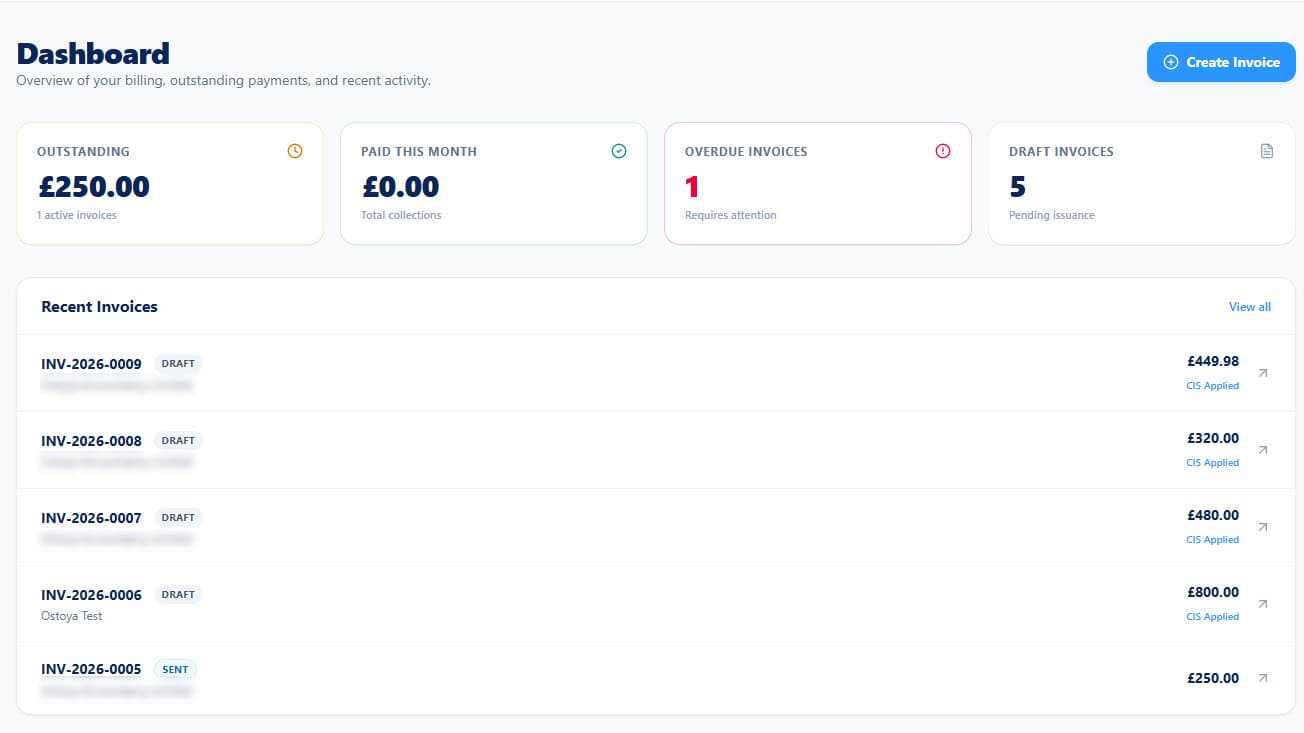
Get Me Paid brings the everyday invoicing work into one clear place, so you can spend less time updating documents and chasing records.
ProblemManually copying customer details and recalculating totals wastes time.
OutcomeReuse saved customer details, add invoice lines and let the system calculate totals consistently.
ProblemInvoices, spreadsheets and email threads make it difficult to see what is outstanding.
OutcomeSee invoice status and payment information from one organised workspace.
ProblemInconsistent documents can make a small business look less established.
OutcomeProduce branded PDF invoices with your business and payment details included.
Trust signals
Get Me Paid focuses on the everyday invoice workflow: customers, invoice lines, VAT/CIS calculations, branded PDFs, email sending and payment tracking.
Create polished invoices with your business details, logo, payment terms and selected template.
Store customer contact and address information so it can be reused when creating invoices.
Calculate line totals and VAT consistently within the existing invoice workflow.
Record relevant labour deductions while preserving VAT and showing the resulting amount payable.
Keep invoice states and payment information organised so outstanding work is easier to review.
Email invoices as PDFs and support scheduled payment-reminder workflows.
A closer look
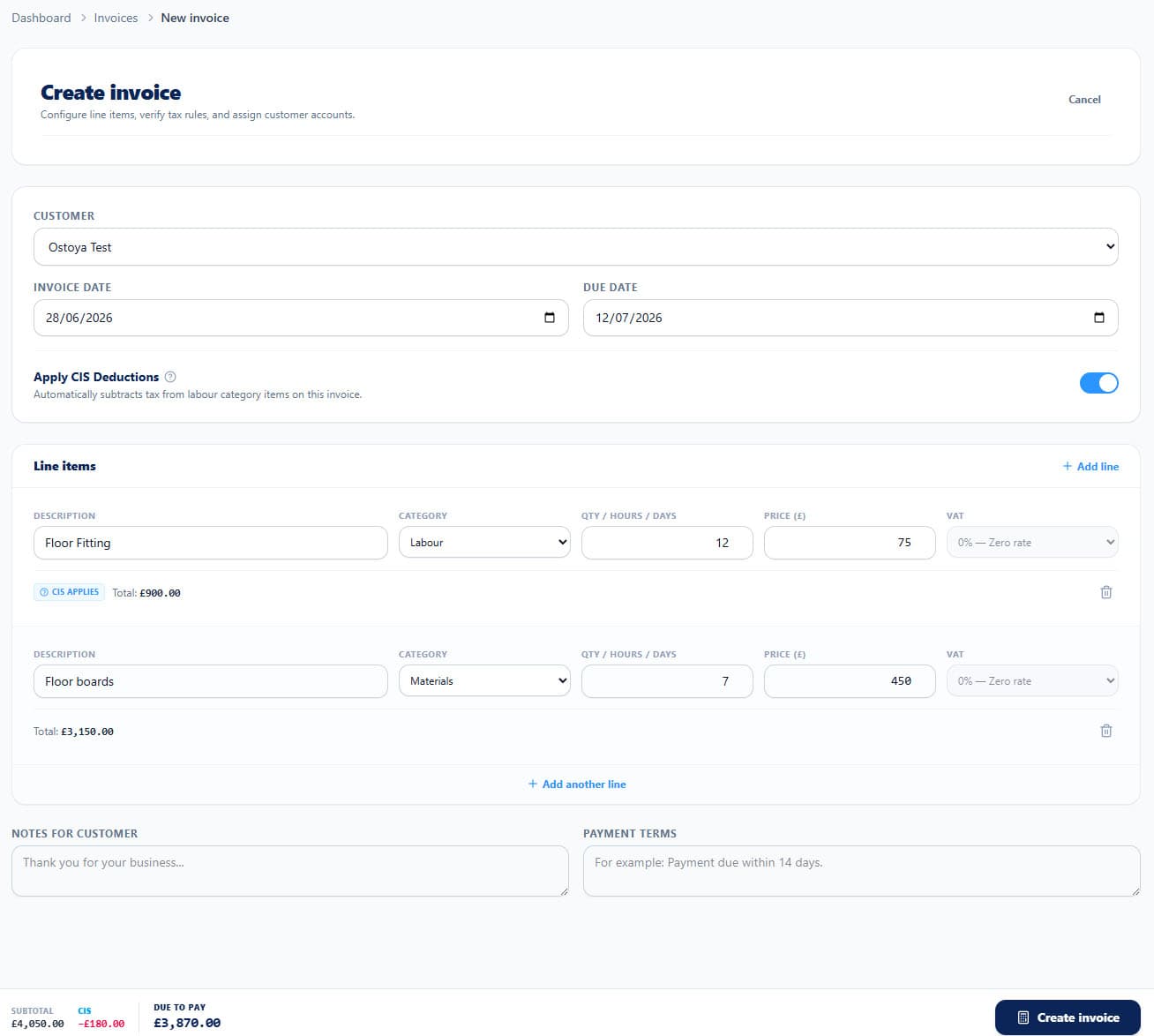
A focused workspace for the parts of invoicing that matter: create the work, send a professional PDF and keep important payment details clear.
Choose a customer, add labour or materials, set VAT or CIS where relevant and review the total before you send it.
Set up once
Save your business details, invoice defaults and payment instructions once instead of retyping them for every invoice.
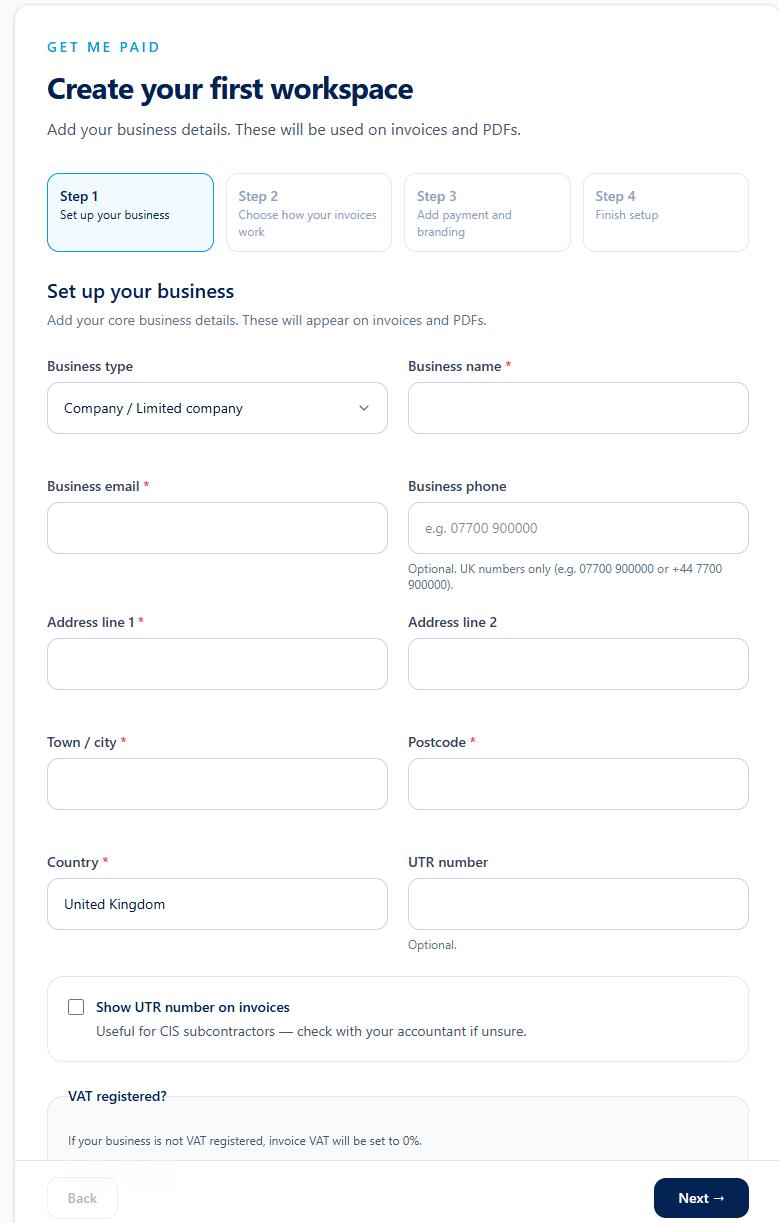
Save the details that belong at the top of every invoice.
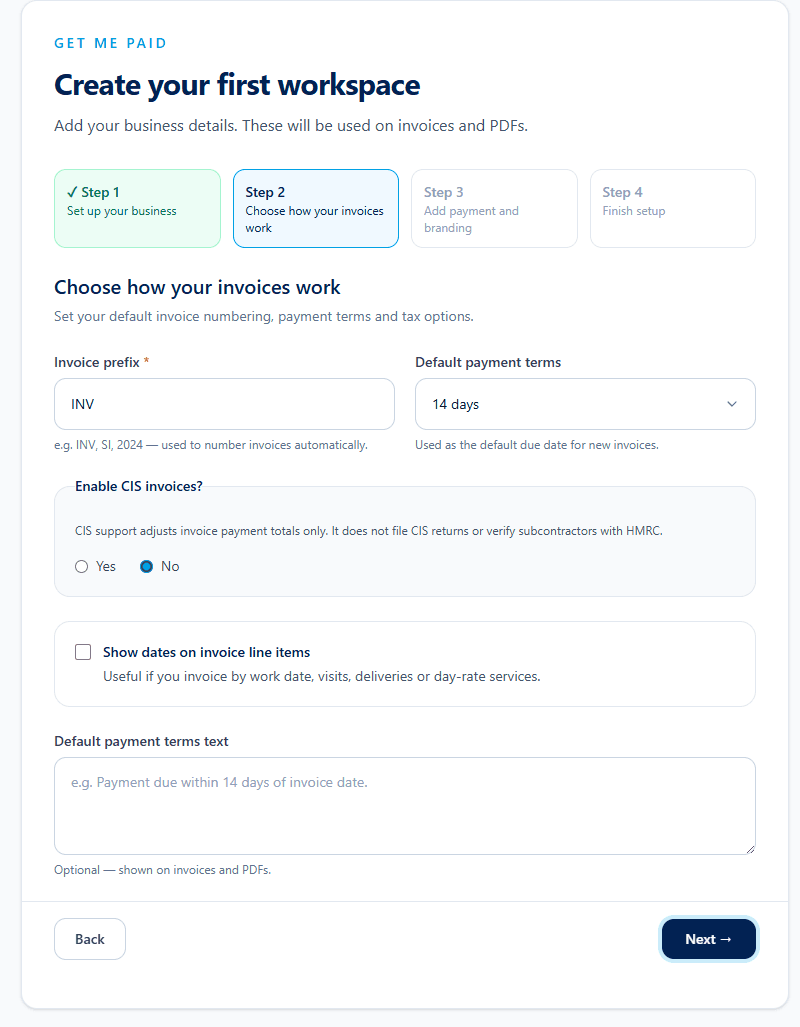
Set numbering, payment terms, VAT and CIS options once.
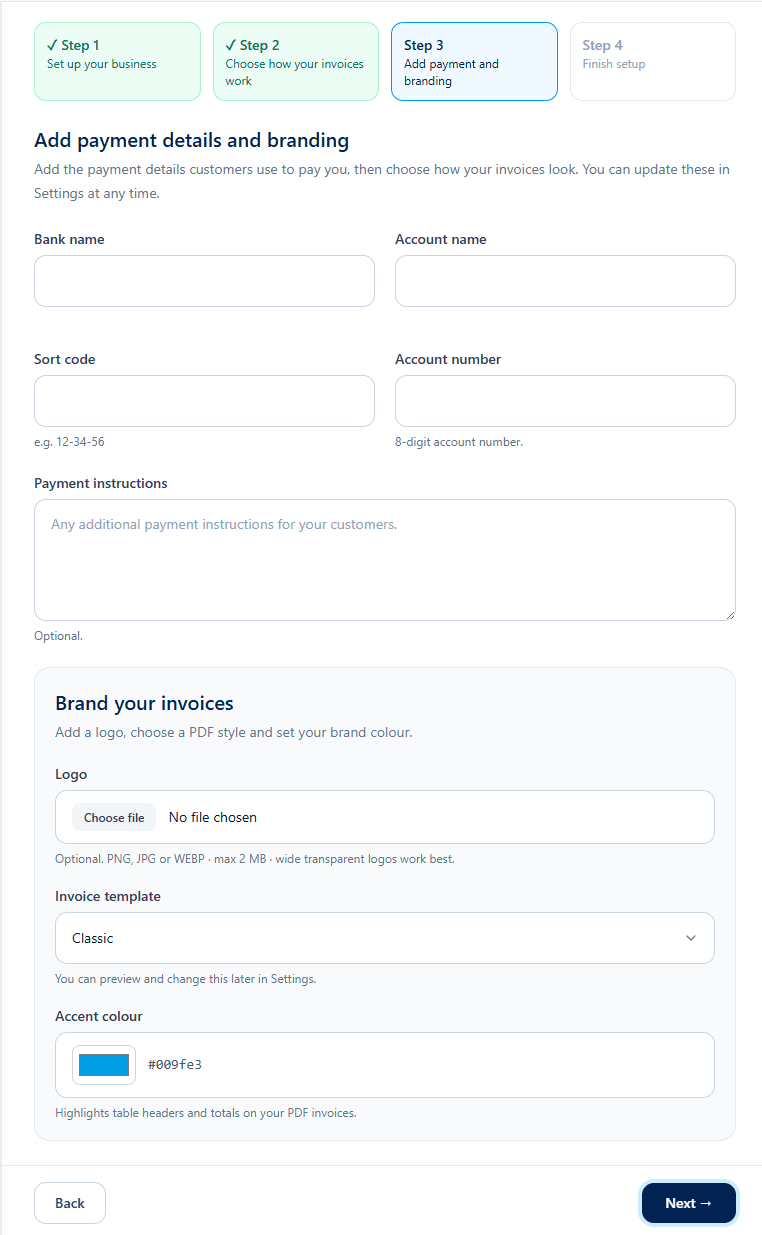
Give customers a clear way to pay when the invoice arrives.
Set up your organisation details, branding, payment information and customer record.
Add invoice items, quantities, VAT and CIS information where relevant.
Download or email the branded PDF and keep its status organised in the dashboard.
The application is designed around common UK small-business workflows, from customer records and payment terms to VAT, CIS and branded PDF invoices.
Get Me Paid helps organise invoice information. It does not provide tax, legal or accounting advice.
Start with the launch plan built for everyday invoicing: customer records, branded PDFs, email sending and payment tracking in one workspace.
30 days free
£4.99
/ month
30 days free, then £4.99/month. Cancel anytime.
No payment card is required to start the 30-day free trial.
Separate partner signpost
Get Me Paid helps with invoice creation and payment organisation. If you need bookkeeping, payroll or wider accountancy support, you can contact Ostoya Accountancy Limited separately.
Contacting Ostoya Accountancy Limited is separate from using Get Me Paid. Do not assume your Get Me Paid records are shared with them automatically.
Visit Ostoya Accountancy Limited (opens in a new tab)Get Me Paid is designed for UK freelancers, sole traders, contractors, subcontractors and small businesses that need a focused invoicing workflow rather than a full accounting suite.
Yes. You can set up organisation details, payment information, customers and invoices without needing to be a limited company.
Yes. The invoice workflow supports VAT settings and VAT calculations for invoice line items where relevant.
Yes. Get Me Paid can represent CIS deductions in the invoice workflow, but it does not provide tax or accounting advice.
Yes, while the active plan includes email sending. The invoice email is sent to the saved customer email address with the PDF attached.
Yes. Billing management is handled through Stripe's customer portal, where supported subscription changes such as cancellation can be managed.
Set up your business details, add a customer and create a professional invoice from one focused workspace.